

Introduction
A dashboard should do more than display charts. It should help a user move from “What happened?” to “What should we do next?” That journey is not automatic. It depends on information hierarchy, the deliberate structuring of metrics, visuals, and explanations so that the most important signals are seen first and the next best action becomes clearer with each scroll or click.
Information hierarchy design is especially important when dashboards are used by busy stakeholders who do not have time to interpret every detail. A well-structured dashboard reduces cognitive load, prevents misinterpretation, and improves decision speed. In practice, the best dashboards behave like a guided story: they begin with descriptive insights, then explain diagnostic context, move into predictive signals, and finally support prescriptive decisions.
If you are learning dashboard design as part of a data analysis course in Pune, information hierarchy is one of the most practical skills to master because it directly affects business adoption.
Start with user intent and decision paths
The first rule of hierarchy is that the dashboard should be built around decisions, not datasets. Before placing a single KPI card, define:
- Who is the primary user (operations lead, marketing manager, finance head)?
- What decisions do they make weekly or daily?
- What actions can they take if a metric changes?
This is where many dashboards fail: they present everything that is available, not what is actionable. A strong approach is to map a “decision path.” For example:
- Check overall performance (descriptive).
- Identify what drove the change (diagnostic).
- Evaluate what might happen next (predictive).
- Choose an intervention (prescriptive).
When the dashboard follows this sequence, users do not get stuck in analysis. They naturally progress towards action.
Build a clear visual hierarchy: overview first, then details
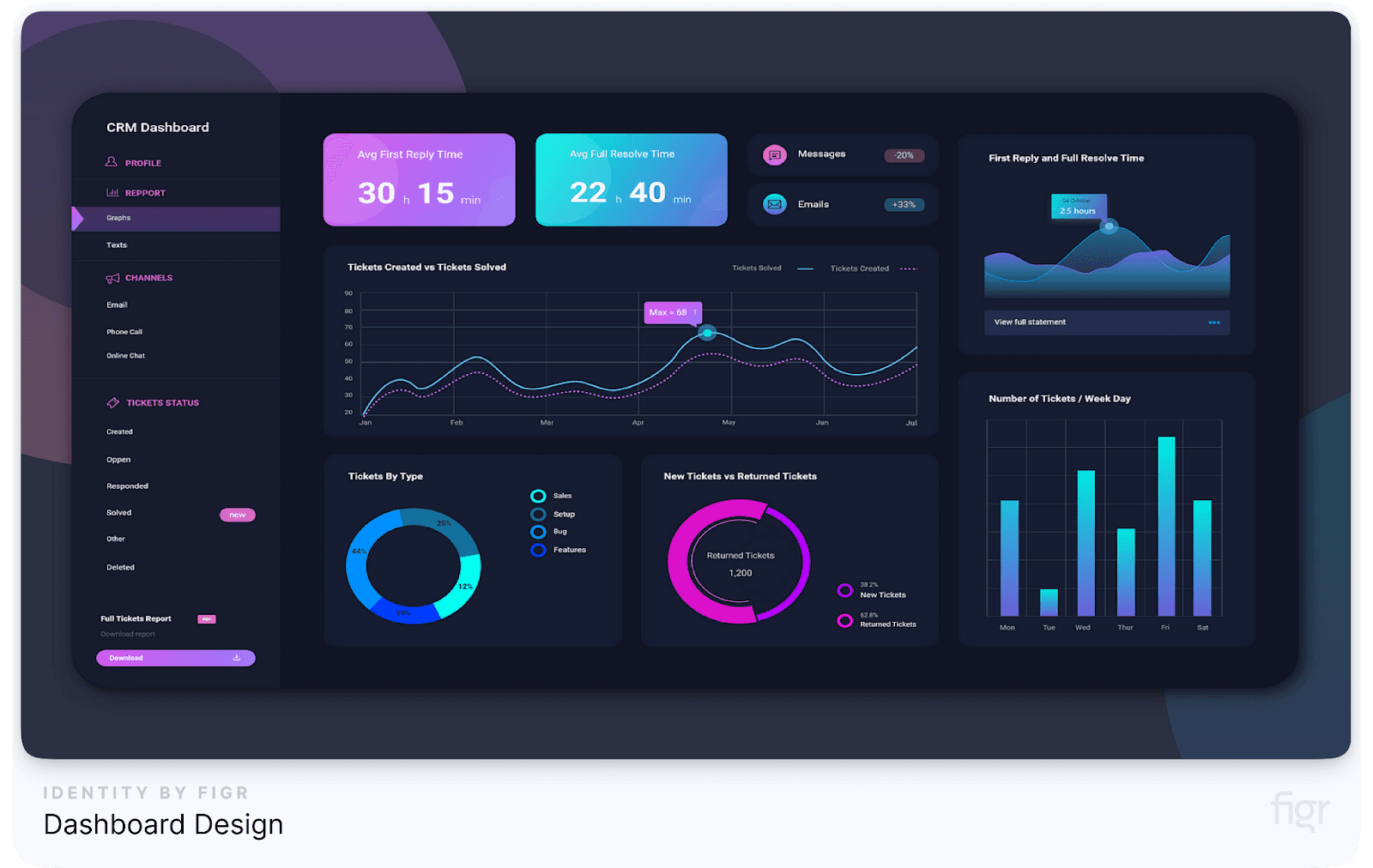
Users scan dashboards. They do not read them. So hierarchy must be visible at a glance. A widely used structure is:
- Top row: outcome KPIs (business goals)
- Second row: drivers and breakdowns (why it happened)
- Lower sections: deep dives, segments, and operational details
- Side panel or bottom: recommended actions and scenarios
This layout mirrors the way questions evolve. Someone starts with an outcome metric like revenue, conversion, or cycle time. Then they need to know what moved it: region, product, channel, customer segment, or process stage.
You can strengthen hierarchy with visual tactics that are simple but effective:
- Use size to emphasise importance (larger cards for primary KPIs).
- Use alignment and spacing to group related metrics.
- Limit colour usage to alerts and thresholds rather than decoration.
- Maintain consistent chart types for comparable measures.
If a user must search for the main message, the hierarchy has failed.
Move from descriptive to diagnostic with context and comparisons
Descriptive dashboards answer “What happened?” but users quickly ask “So what?” This is where diagnostic elements should appear directly below the summary.
Instead of only showing a number, include context such as:
- Trend lines (week-over-week or month-over-month)
- Targets and thresholds
- Benchmark comparisons (last quarter, same period last year)
- Contribution analysis (which segment caused most of the change)
For example, a drop in customer retention is descriptive. A breakdown showing the drop is concentrated in one onboarding step or one region is diagnostic. This progression reduces guesswork and avoids meetings where stakeholders argue about causes without evidence.
Also, add small “explanatory cues” that prevent misinterpretation:
- Definitions of KPIs (especially if formulas are non-trivial)
- Data freshness timestamps
- Filters currently applied
These cues reduce trust issues and stop users from drawing conclusions based on incomplete context.
Introduce predictive signals, then make insights actionable
Once diagnostic clarity exists, predictive components help users prepare instead of react. Predictive insights should be introduced carefully, with clear confidence communication. Examples include:
- Short-term forecasts for demand, churn risk, or lead time
- Leading indicators (pipeline quality, service backlog growth)
- Early warning thresholds based on historical variance
The key is to avoid overwhelming users with modelling complexity. Keep predictive outputs simple: “expected range,” “risk level,” or “probability of breach.” Predictions should not replace descriptive facts; they should build on them.
Prescriptive insight is the final layer, where the dashboard supports action. This can be done through:
- Recommended actions based on rules (if stock-out risk is high, increase reorder quantity)
- Scenario sliders (adjust price, staffing, or budget to see impact)
- Next-best-step checklists (what to investigate, who to notify, what to change)
This is where dashboards become decision tools rather than reporting screens, a capability often highlighted in a data analyst course because it connects analytics to business outcomes.
Conclusion
Information hierarchy design is the difference between dashboards that look impressive and dashboards that drive decisions. By structuring views to follow a decision path, using a clear visual hierarchy, adding diagnostic context, and layering predictive and prescriptive elements, you guide users from understanding to action.
A good dashboard does not force users to interpret everything on their own. It anticipates questions, answers them in the right order, and makes the next step obvious. If you build dashboards with this discipline, you will create analytics experiences that are trusted, used, and genuinely valuable, whether you learned the foundation through a data analysis course in Pune or developed your skill set through a data analyst course.
BUSINESS DETAILS:
Name: Data Science, Data Analyst and Business Analyst Course in Pune
Address: First Floor, Sapphire Chambers, Spacelance Office Solutions Pvt. Ltd, 204, Baner Rd, Baner Gaon, Pune, Maharashtra 411069
Email ID: [email protected]
Phone Number: 9945850527